

Once you have successfully opened an account with IUX, you can easily start trading with us or check your transactions on our application, as follows:
1. Login to IUX App Trade
2. Select the “Menu” displayed on the home page
3. Select the “Deposit/Withdrawal” function for your transactions. There are 2 options:
- Deposit
- Withdrawal
4. Select “History” on the top right corner to view your transaction history. Transactions that occur will have a status to inform you every time:
- Pending transaction: The transaction is under review and processing
- Completed transaction: The transaction is completed
5. You can export your transaction history at the check mark on the top right corner
6. Select the desired period and press Confirm
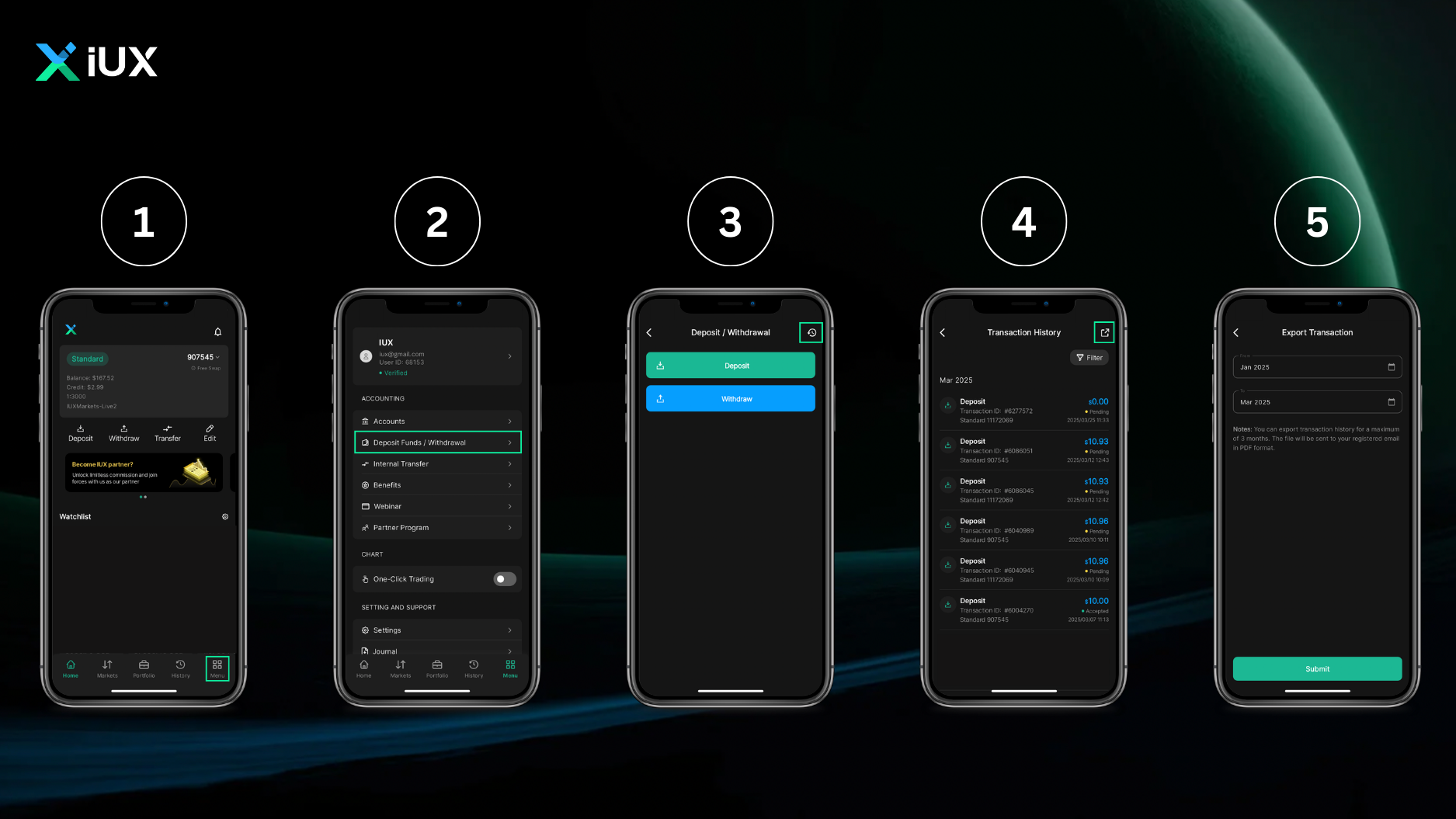
That’s it! You can conveniently track and check all your deposits and withdrawals. This allows you to track your financial activities at any time.


